HAND-E is a 2.16-inch AMOLED display that sits on your desk and runs one small app at a time: earthquakes as they happen, live satellite weather, flashcards, your photos, and Pip, a tiny robot who keeps you company.
The device on this page runs HAND-E's real home screen. Tap an app to open it, and press the button on its side to come back.
Every earthquake of the last day on a dark world map, coloured by strength. New quakes get a cyan ring, and the strongest recent one pulses so you notice it from across the room.
Live data from the USGS, refreshed every few minutes
Drag to pan, double-tap to zoom
A clock and date along the top
GeoMap
The weather as satellites see it. GeoMap loops the latest images from NOAA's GOES satellites: the whole Earth, a region, infrared, even the Sun.
Fifteen views to choose from
New frames arrive through the day
Tap the screen for the time and date
MemoFrame
Flashcards that change on their own while you work, so a new word or fact passes by every few seconds. Add your own decks from your phone or computer.
Swipe left and right for the next and previous card
Swipe up to switch decks, down for the menu
Paste a whole list of cards at once
Framini
A tiny frame for your photos and short videos. Copy them to the memory card, or upload them over Wi-Fi from your browser, and pick what plays.
Photos and videos from the microSD card
Upload from any browser on your network
A library you scroll with a finger
DeskBuddy
Pip is a small robot who lives on your desk. Pip idles, looks around, naps at night and reacts when you tap the screen, with a clock above.
Dozens of little animations
Tap Pip and see what happens
Works without Wi-Fi once set up
HAND-E home screen
The side button takes you back to HAND-E.
Ten minutes from the box to your first app
These are the screens your HAND-E shows while you set it up. First install HAND-E from a computer at handeos.com/install, where you also enter your license key or start a 7-day free trial. After that, all you need is your phone and your Wi-Fi password.
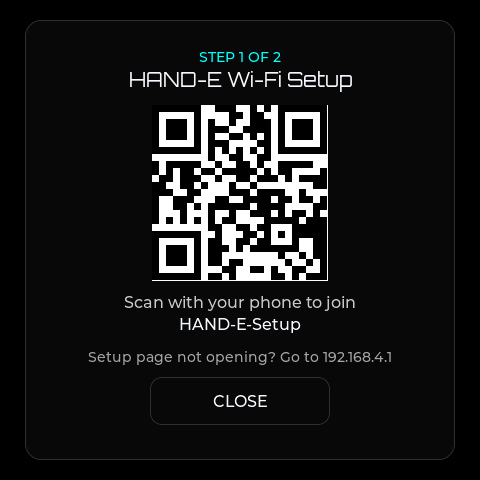
Join your Wi-Fi
Plug HAND-E in and scan the code on its screen with your phone, then choose your network.
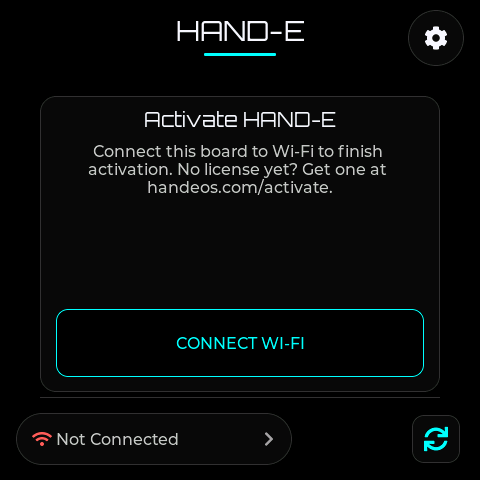
It activates itself
Once it is on Wi-Fi, HAND-E fetches the license (or free trial) you chose in the installer. If it still shows this screen, tap CHECK AGAIN.
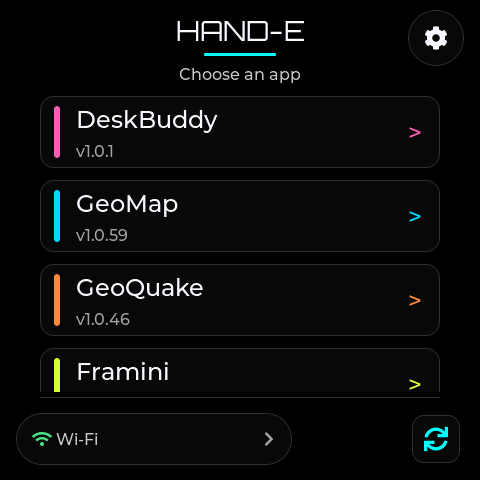
Pick an app
Choose an app on the home screen. HAND-E downloads it and opens it. Two apps live on the device at a time.
Inside
A Waveshare ESP32-S3 board with a square AMOLED panel. Pure black stays truly off, so the screen never glows at night.